The Studio Experience
Replacing a manual configuration nightmare with a visual, intuitive workflow builder.
The Impact
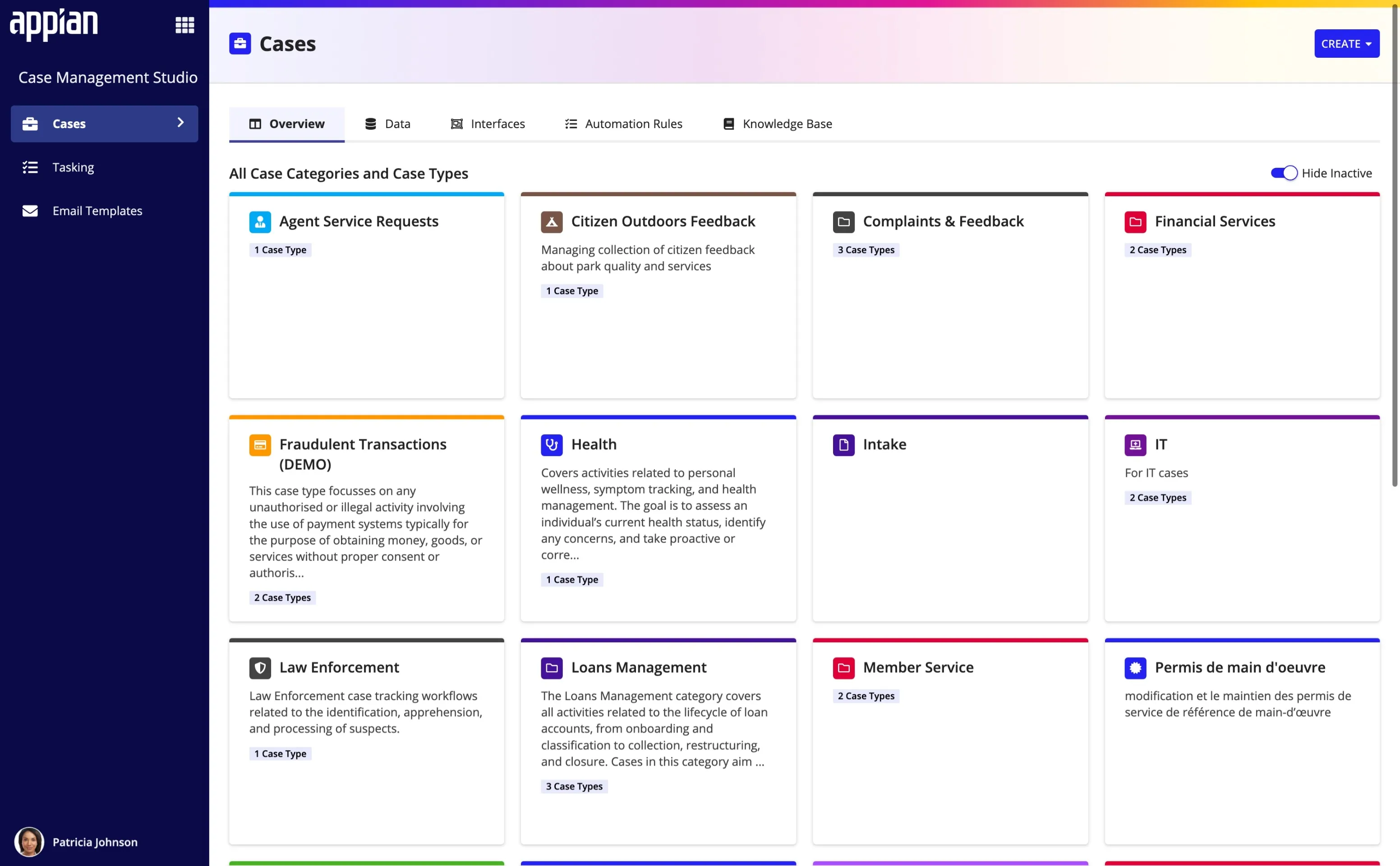
Studio is the configuration environment where business admins define the data, workflows, and rules for their applications.
Speed and Flexibility
- Trusted by Industry Leaders: The platform is currently used in production by major global enterprises, including Porsche, Pfizer, Vanguard, T. Rowe Price, and the Australian Government.
- Reduced Engineering Dependency: Implementation teams can now deliver functional apps in as little as 4 weeks (a 50% reduction). By enabling business admins to build intake forms and workflows visually in Studio, the solution eliminated the need for custom backend coding.
- Scalable Architecture: The hierarchical logic model allowed the system to scale to 92 enterprise customers. The architecture proved flexible enough to handle complexities across vastly different industries, from university admissions to government permitting.
The Challenge
Disconnected Task Lists
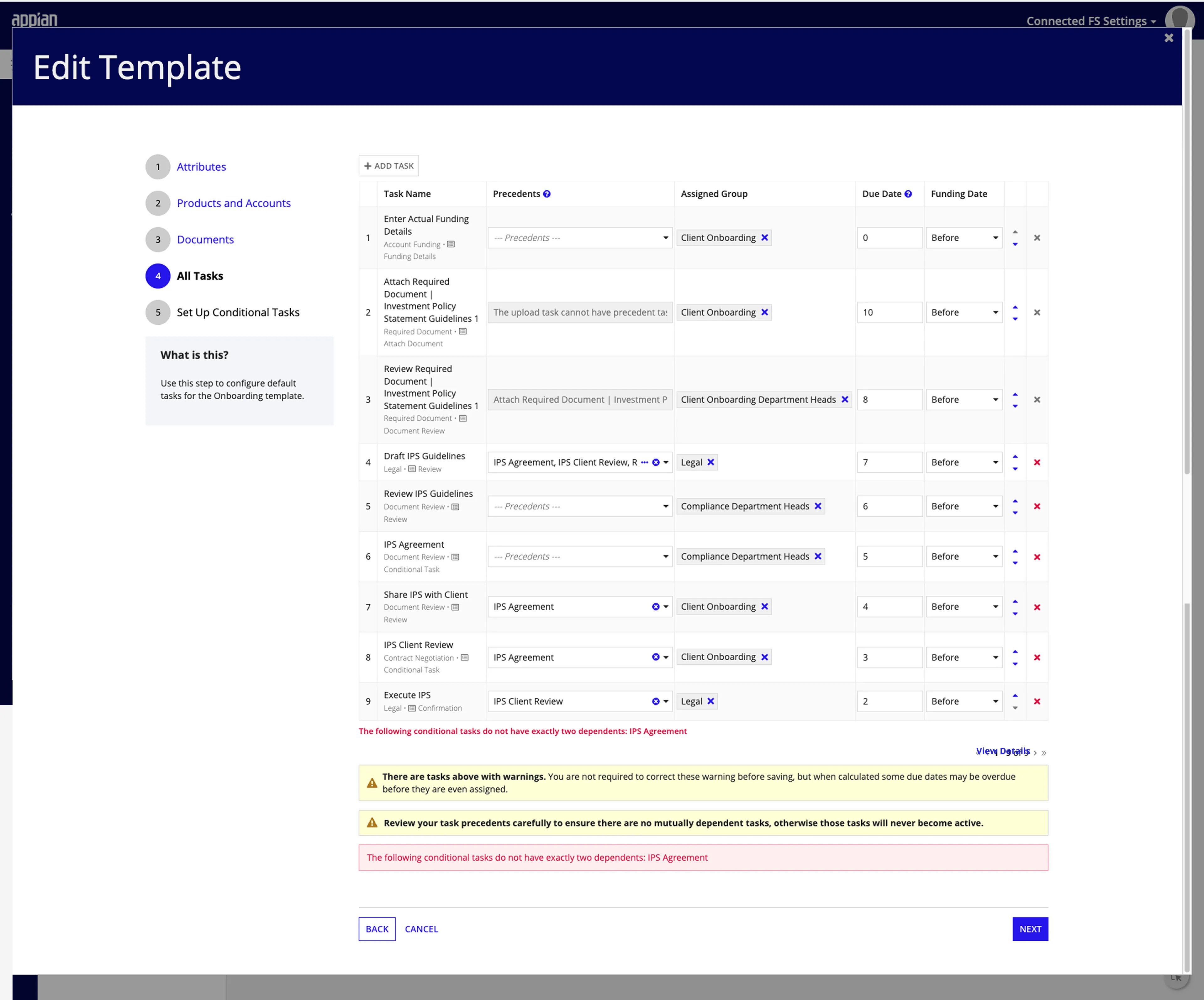
In previous solutions, configuring a business process was restricted to linear checklists. While this worked for simple to-do lists, it failed for actual case management.
The Mismatch: A case isn’t a linear list; it’s a lifecycle. It moves through stages, branches based on data, and triggers automated side-effects.
The Friction: User research revealed that users struggled to understand this lifecycle when looking at a simple grid. They had to mentally track dependencies. One wrong number in a “Precedents” column could break the flow, and there was no way to “see” the error until runtime.
Key Constraints
Platform Limits
Restricted to standard Appian OOTB components. We had to innovate within the rigid boundaries of the low-code interface designer.
Performance
Rendering speed was critical. We had to prioritize performant patterns (like boring grids) over richer UI cards.
Proxy Research
As a 0-to-1 product with no active users, we relied on internal experts, competitive analysis, and proxy studies for validation.
The Solution
The Hybrid Workflow Builder
Speed + Validation
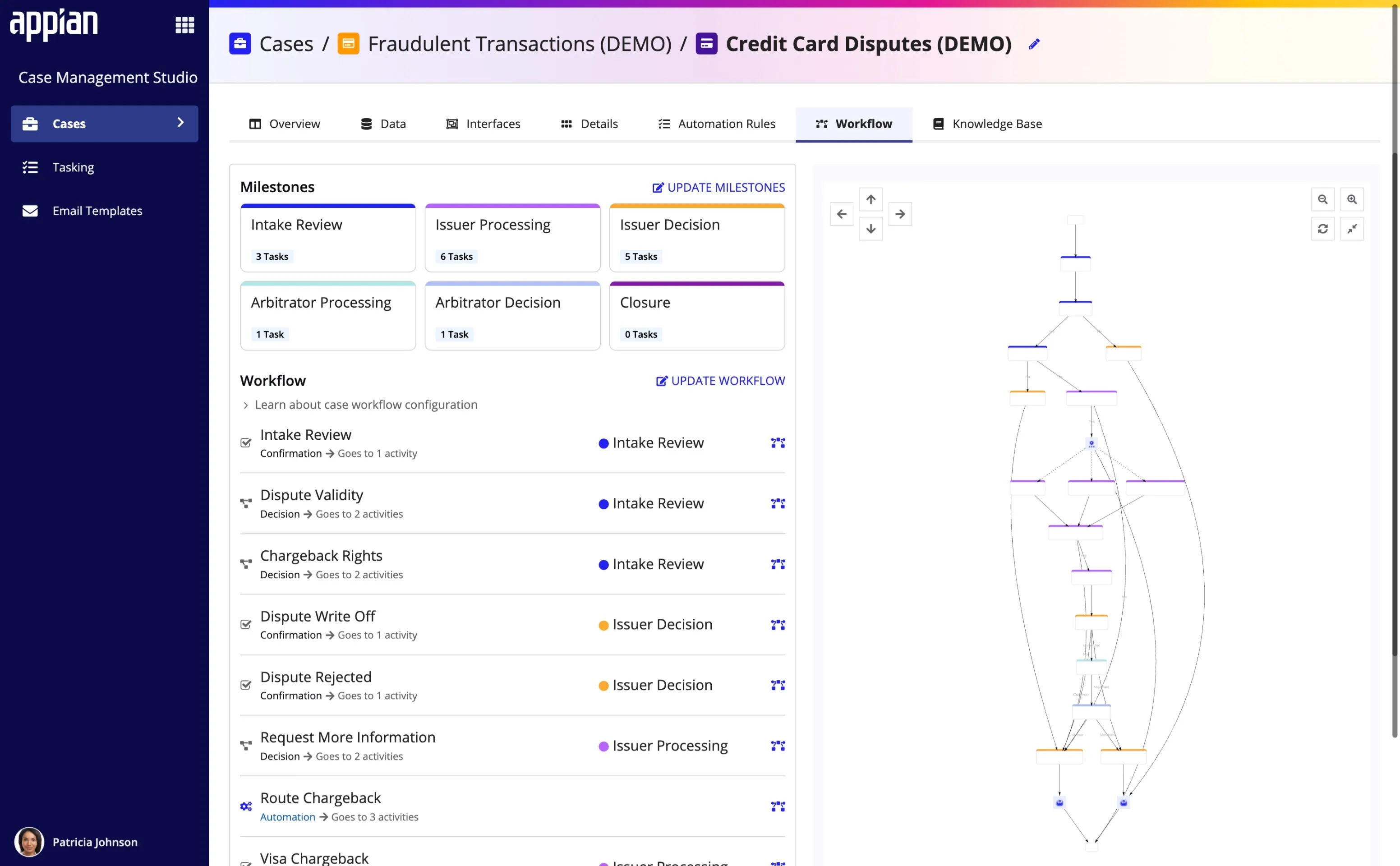
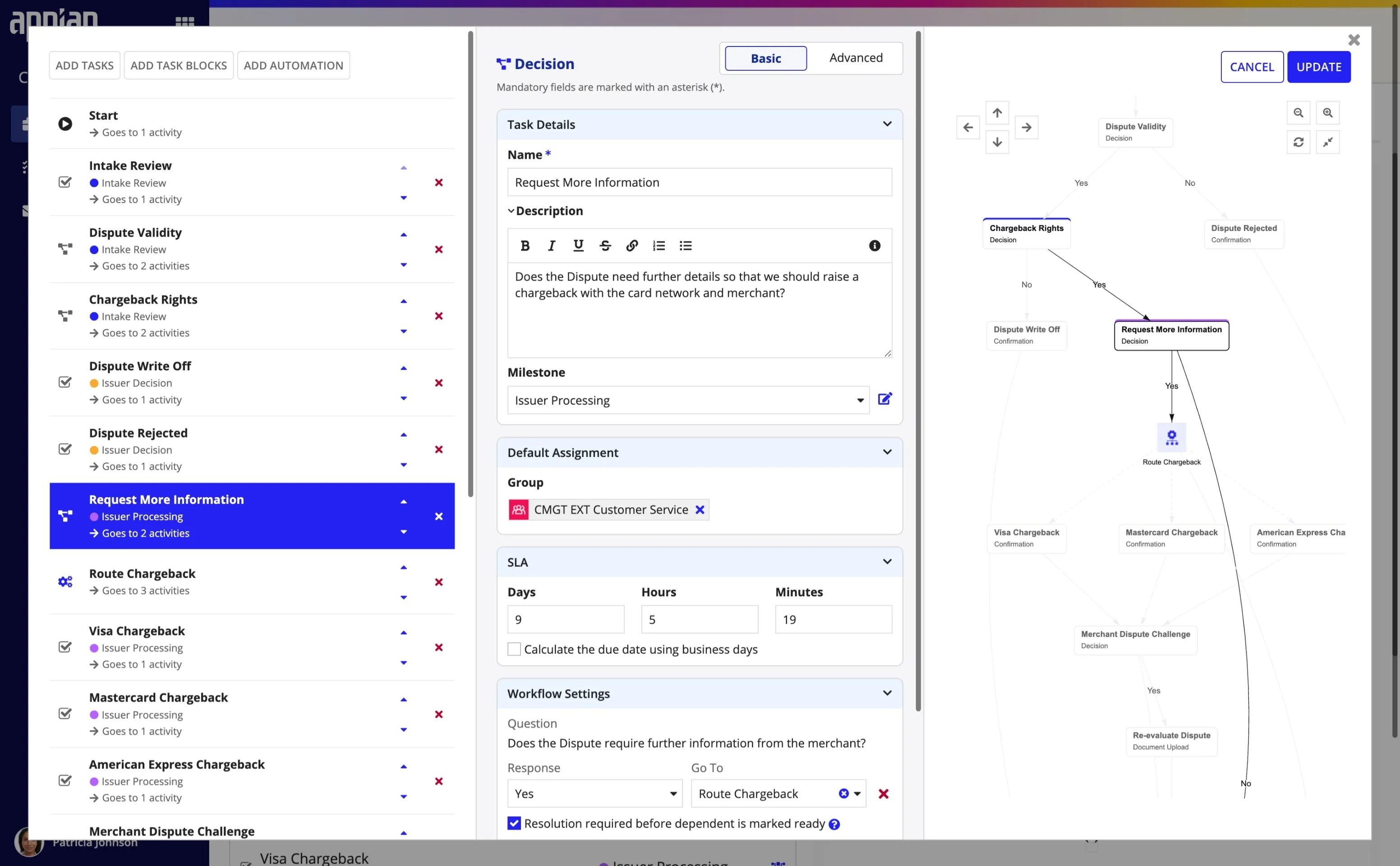
To solve the visualization problem without sacrificing data entry speed, the solution utilizes a three-pane configuration interface that bridges the gap between a spreadsheet and a flowchart:
- Input (Left & Middle): A list-based input allows for rapid data entry of task details.
- Logic (Middle): A dedicated configuration area for defining milestones, SLAs, and—crucially—dependents.
- Validation (Right): As the user configures logic, the right pane updates in real-time to visualize the workflow graph.
The UX Win: Users could work quickly in a list format, but the instant visualization allowed them to verify complex paths immediately.
Process: Iterative Refinement
Bridging the Interaction Gap
While the visual approach to workflow configuration tested well conceptually, early validation revealed a significant gap between user expectation and system capability.
- The Drag-and-Drop Expectation: In early prototypes, users intuitively tried to drag and drop nodes on the visualization canvas to reorganize the flow, a standard interaction pattern that the low-code platform did not natively support.
- The Pivot: Recognizing this friction, the design was pivoted to a visualization-first behavior. We rebuilt the interaction model to support direct manipulation where possible and added clear visual cues for selecting and editing tasks where drag-and-drop was technically constrained.
- Validation: Despite the initial friction, users reported high confidence in the overall model, validating that the visual representation was the correct approach for handling complex case management logic.
(Technically Blocked)
(The Strategic Pivot)
(Low Usability)
Systemic Automation
Hierarchy & Inheritance
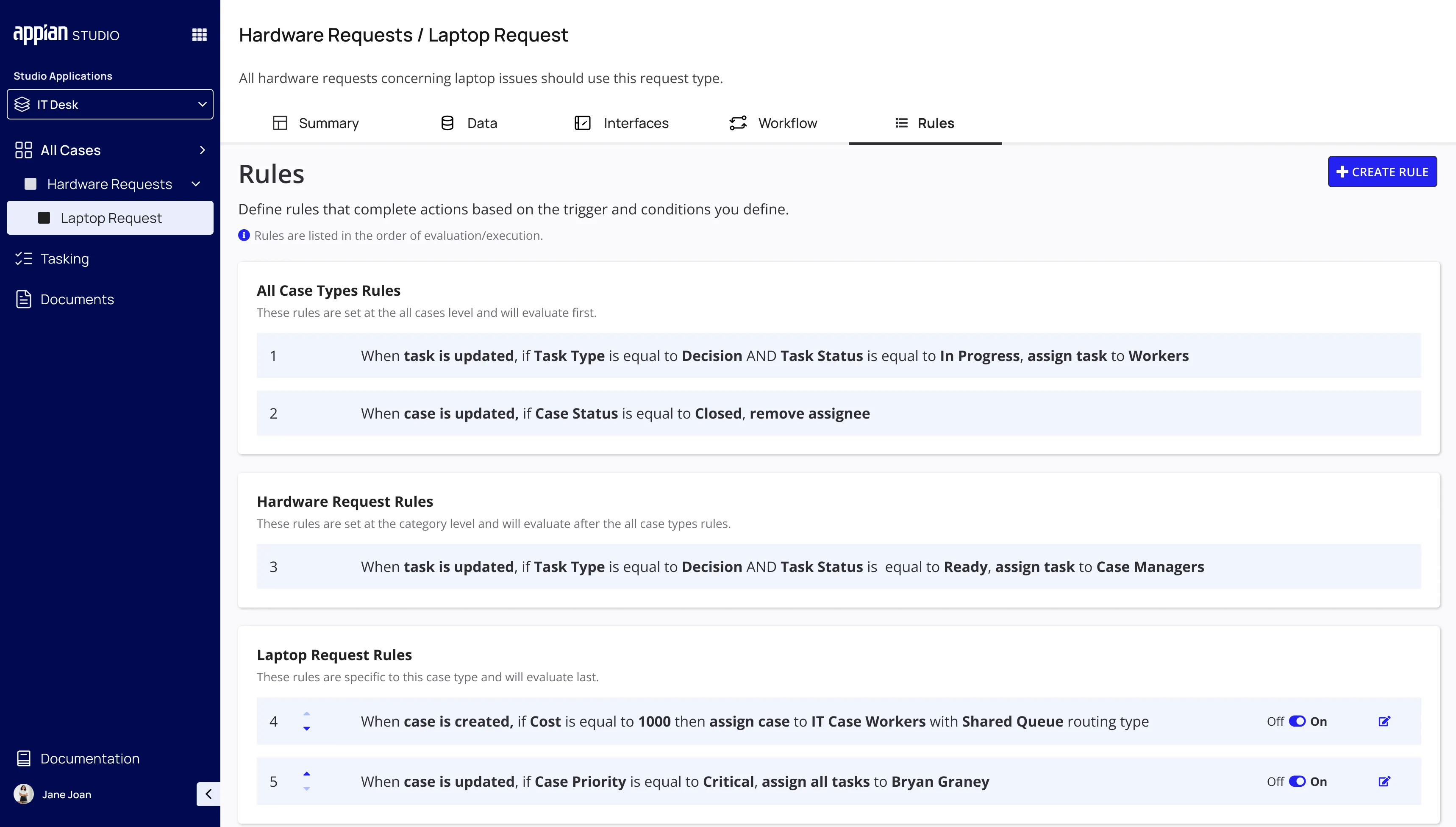
User feedback highlighted that automation needs varied based on scope—some rules are global, while others are hyper-specific.
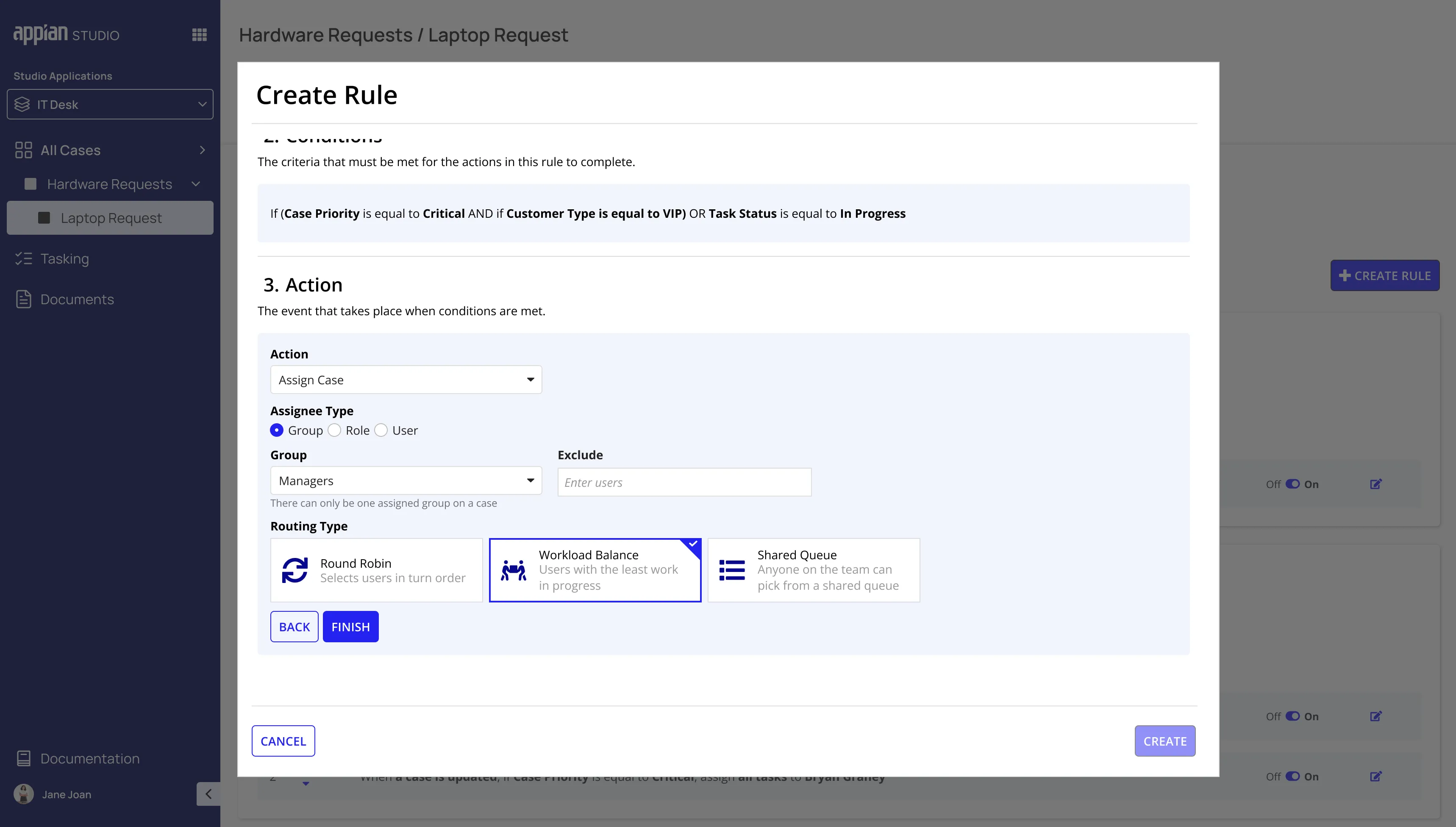
The Strategy: A hierarchical automation engine supports cascading logic: Global Level (All Cases) → Category Level (Permits) → Case Type Level (Plumbing Permit).
Execution Logic: To handle conflicts, the system executes from the highest level down to the lowest level. This ensures global compliance is respected while allowing specific case types to define exceptions that take precedence.
Process: Defining the Hierarchy
Determining Logical Scope
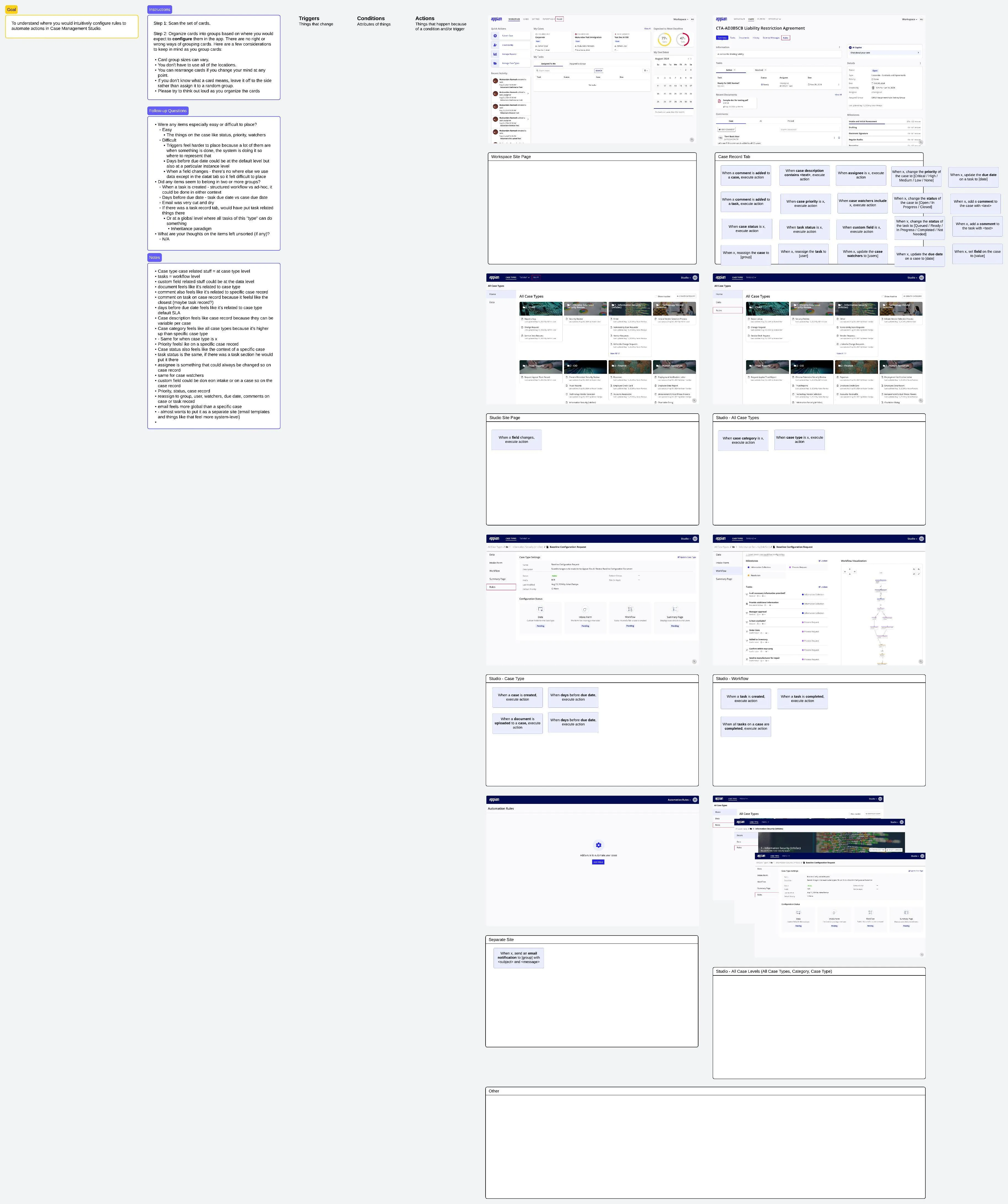
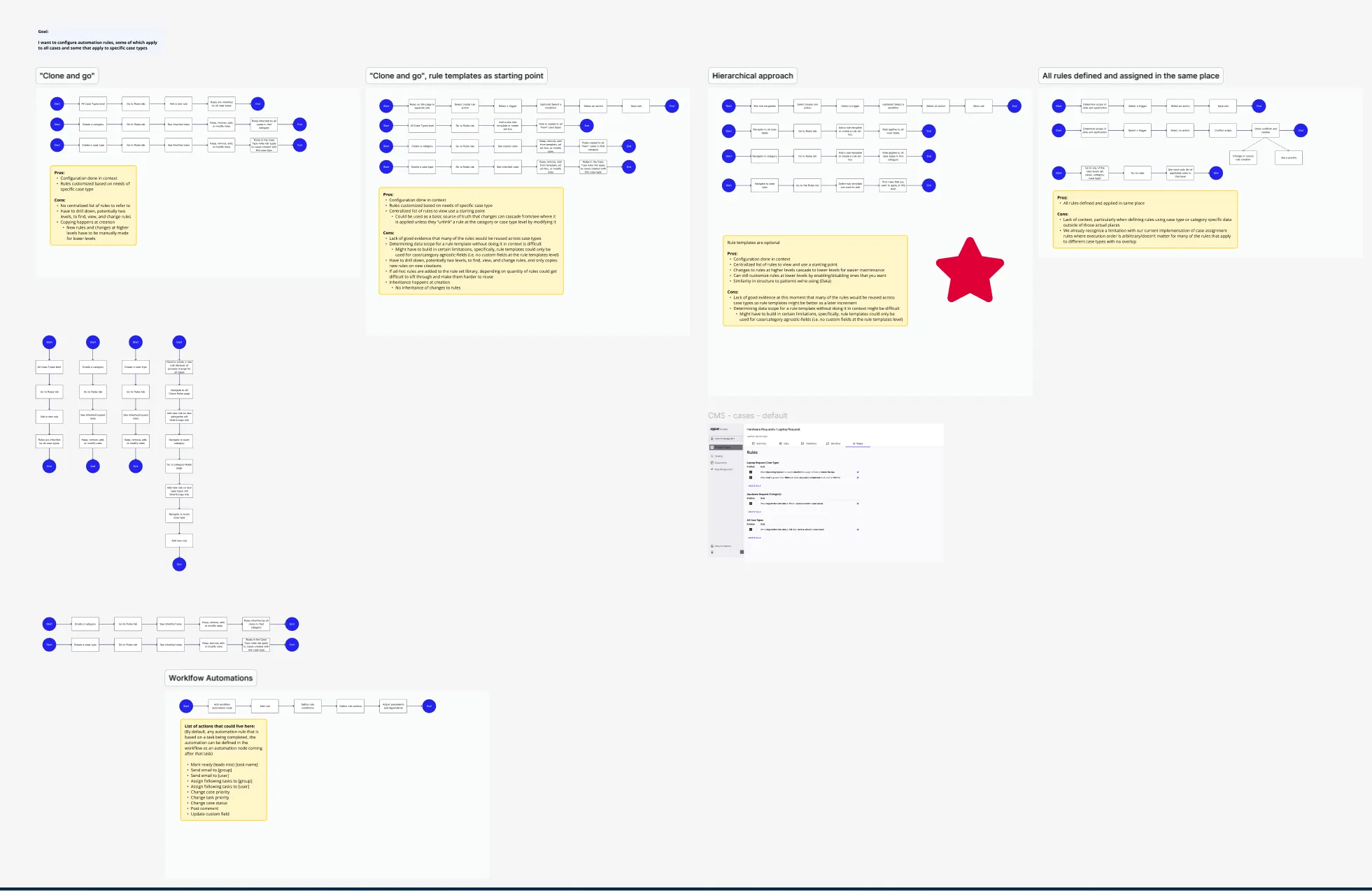
Early feedback indicated that users found it difficult to determine the appropriate location for automation logic that applied across multiple case types but required local variations.
- Card Sort Results: To define the system architecture, a card sorting activity was conducted with seven participants. The results showed that users intuitively grouped automation needs by scope (global vs. case-specific) rather than by the type of trigger or action.
- The Decision: These findings led to the development of a hierarchical inheritance model. Instead of manual overrides, the system enforces a strict precedence logic: specific rules (case type level) always take priority over general rules (global level).
- Consistency: This logic was aligned with the existing behavior for user-defined data fields and forms, ensuring that the “lowest level wins” pattern remained consistent across the entire Studio configuration experience.
Integrated Data & Form Designer
No-Code Modeling
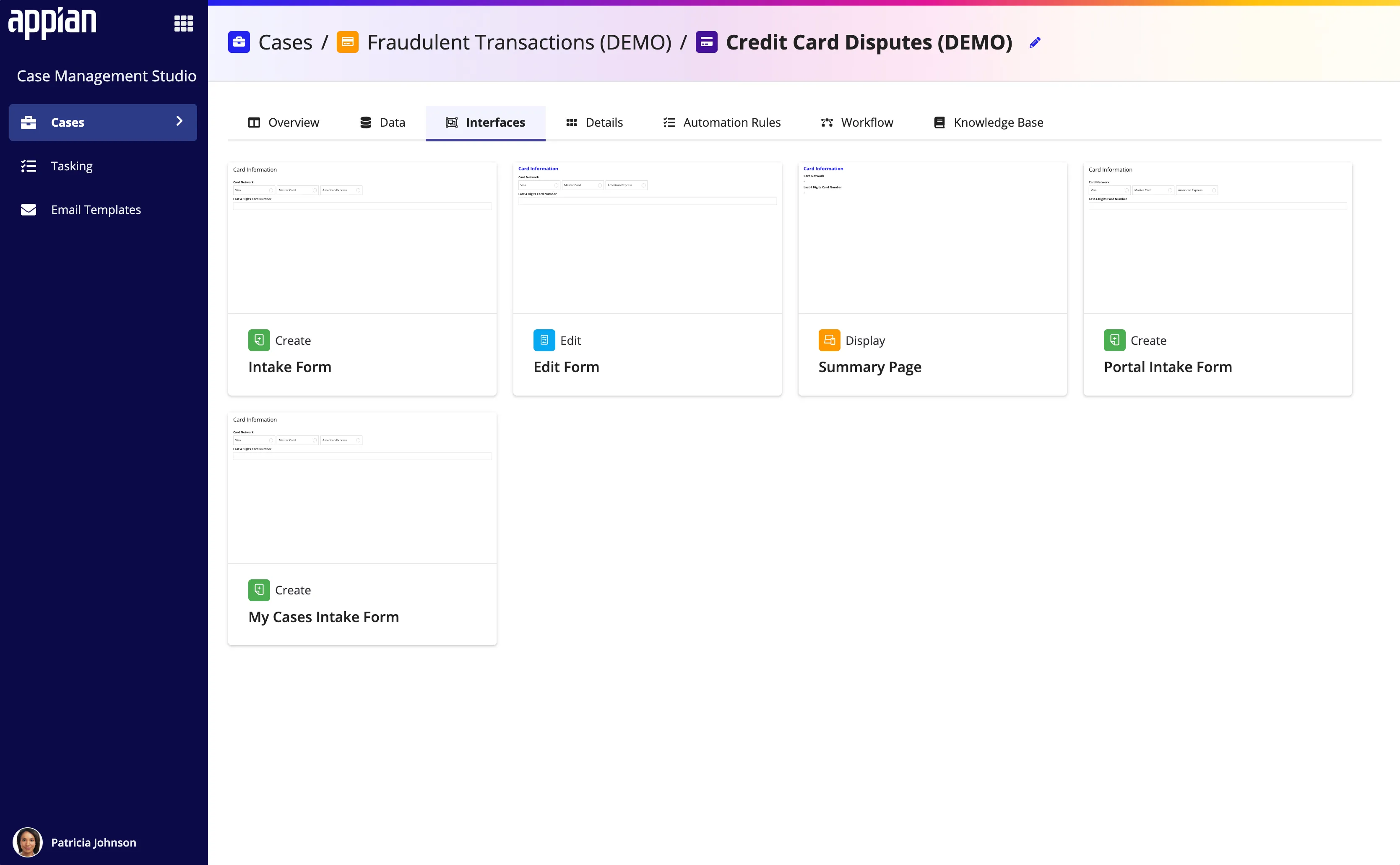
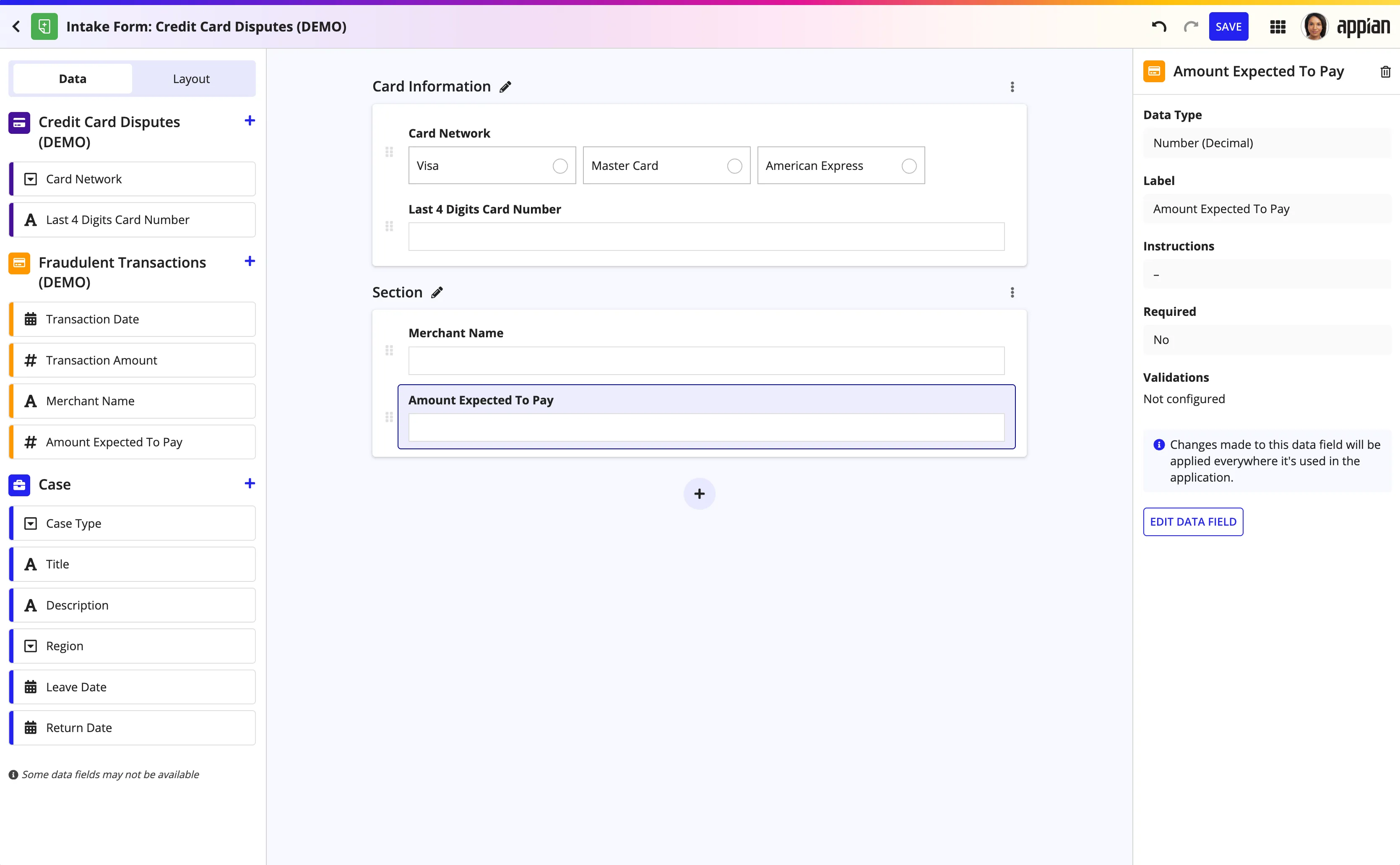
A workflow requires data inputs. Previously, adding a form field required an IT ticket to modify the database. The no-code form builder puts this power in the hands of the business admin.
- Implicit Data Modeling: When a user adds a field to a form, the system automatically creates the backend data structure.
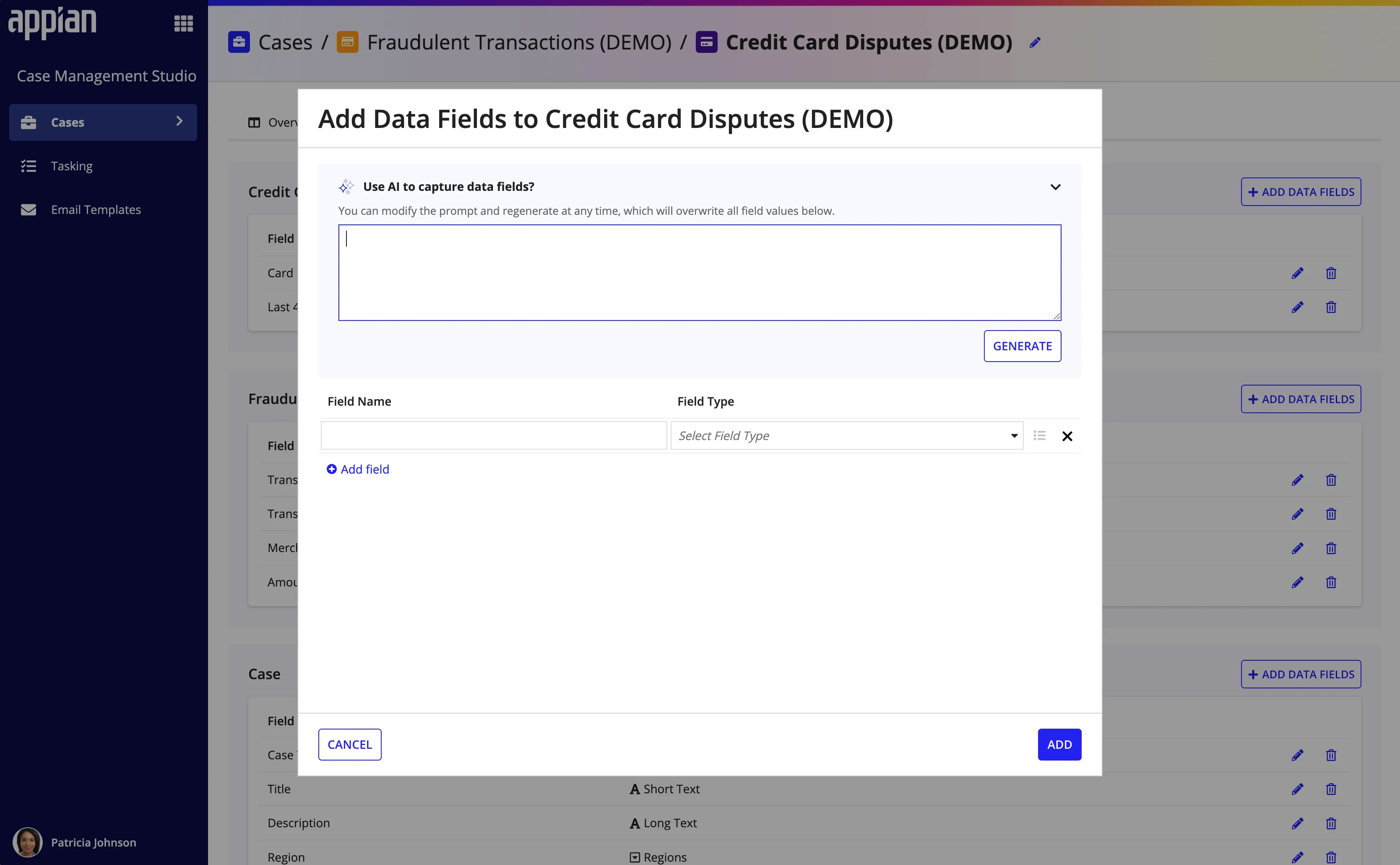
- AI Acceleration: AI integration speeds up data creation. Users can prompt the system (e.g., “Create a dropdown for US States”), and the AI generates the data type and all options automatically.
- Accessibility by Default: All components automatically meet WCAG 2.1 AA standards.
Built for Extensibility
The Platform Mindset
To support diverse customer needs, the Studio design is agnostic and extensible. The architecture supports custom task types, email templates, and automation rules. Customers can plug in their own specialized logic (like a Fraud Check rule) and have it render natively within the Studio UI alongside standard features.
Centralized Branding: A unified location was designed where all colors and styling are defined. By changing a single set of values, customers can instantly rebrand the entire system—from the Studio configuration environment to the Workspace front-end—ensuring every deployed application matches their corporate identity without manual styling updates.