Connected Onboarding
Simplifying a 300-step compliance workflow by aligning the system with the user's mental model.
The Impact
Institutional Onboarding is a high-stakes domain where speed is revenue, but accuracy is the law. This suite of applications replaced fragmented legacy processes with a unified system.
Visibility & Velocity
- Unified Data Architecture: By interlinking Customer, Onboarding, Product, and Service Request records, the solution broke down data silos. Operations teams could finally navigate from a high-level Customer record down to a specific Product fee structure without losing context.
- Client Validation: The robust architecture allowed major institutions like T. Rowe Price and Vanguard to adopt the solution with significantly fewer customizations, as the core product successfully handled their complex requirements out of the box.
- Compliance & Accessibility: Strict WCAG 2.1 AA standards were advocated for and implemented across the platform. Given the regulatory nature of financial services, ensuring the software was usable by all employees and auditable for compliance was non-negotiable.
The Challenge
Inheriting a Monolith
I inherited a massive, highly regulated application suite that had grown into a monolith. The system was powerful but suffered from deep usability debt.
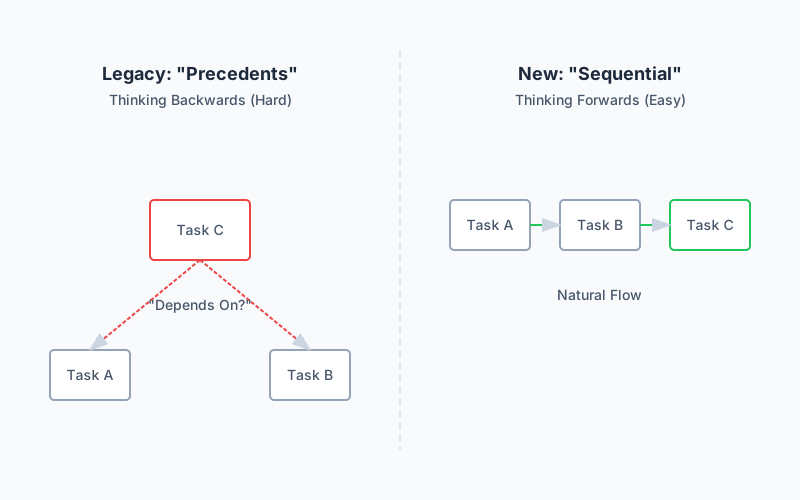
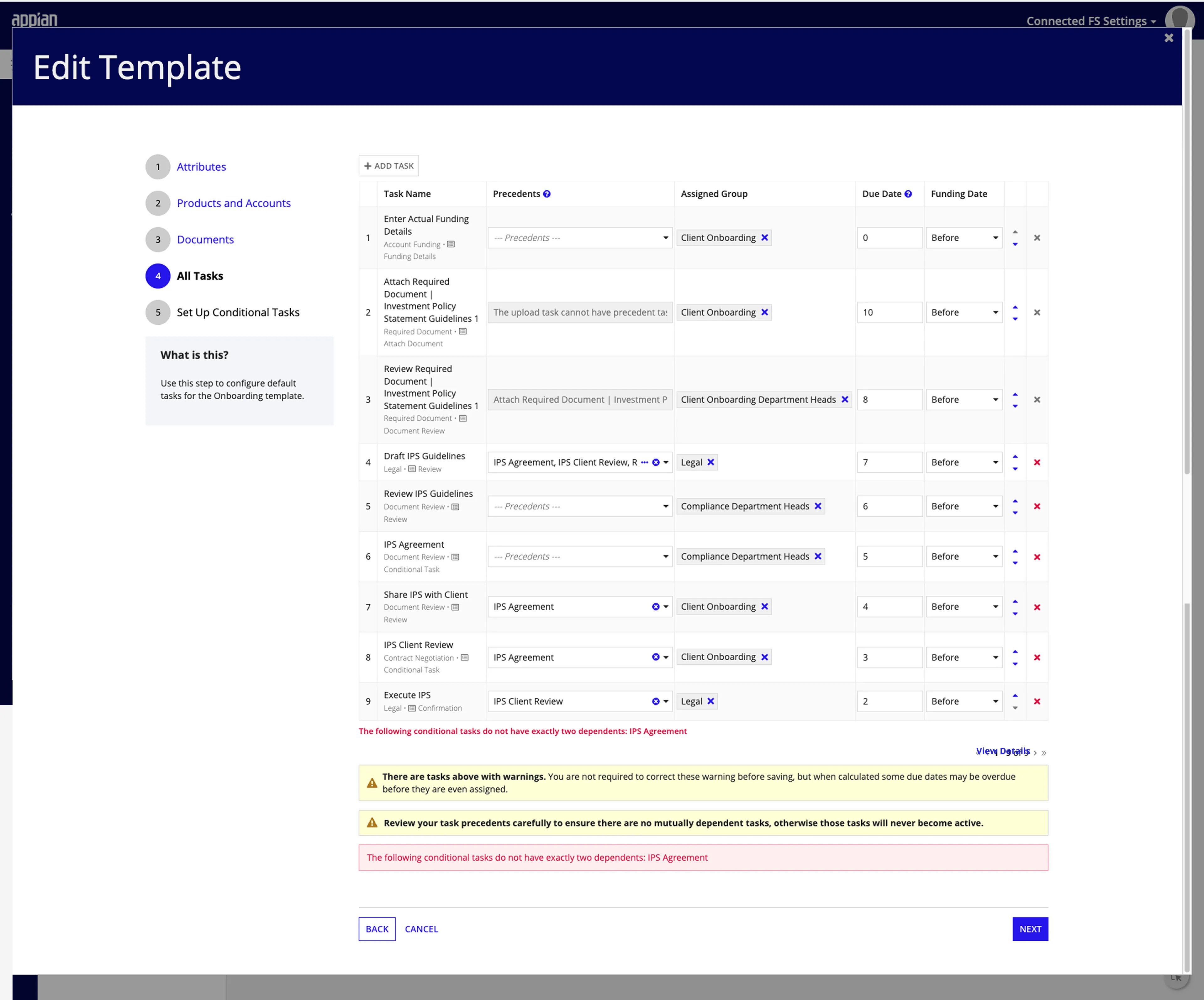
The Logic Problem: Configuring workflows was error-prone. Usability studies revealed that the legacy “Precedents” model (defining what came before) forced users to think backward. 100% of participants failed to configure conditional logic correctly in early tests because the UI didn’t match their sequential “flowchart” thinking.
The Data Problem: Users had to manually cross-reference spreadsheets to know if a specific “Hedge Fund” customer had provided the necessary “KYC Documents” for a specific “Derivatives Product.”
The Solution
The Onboarding Dashboard
Persistent Context
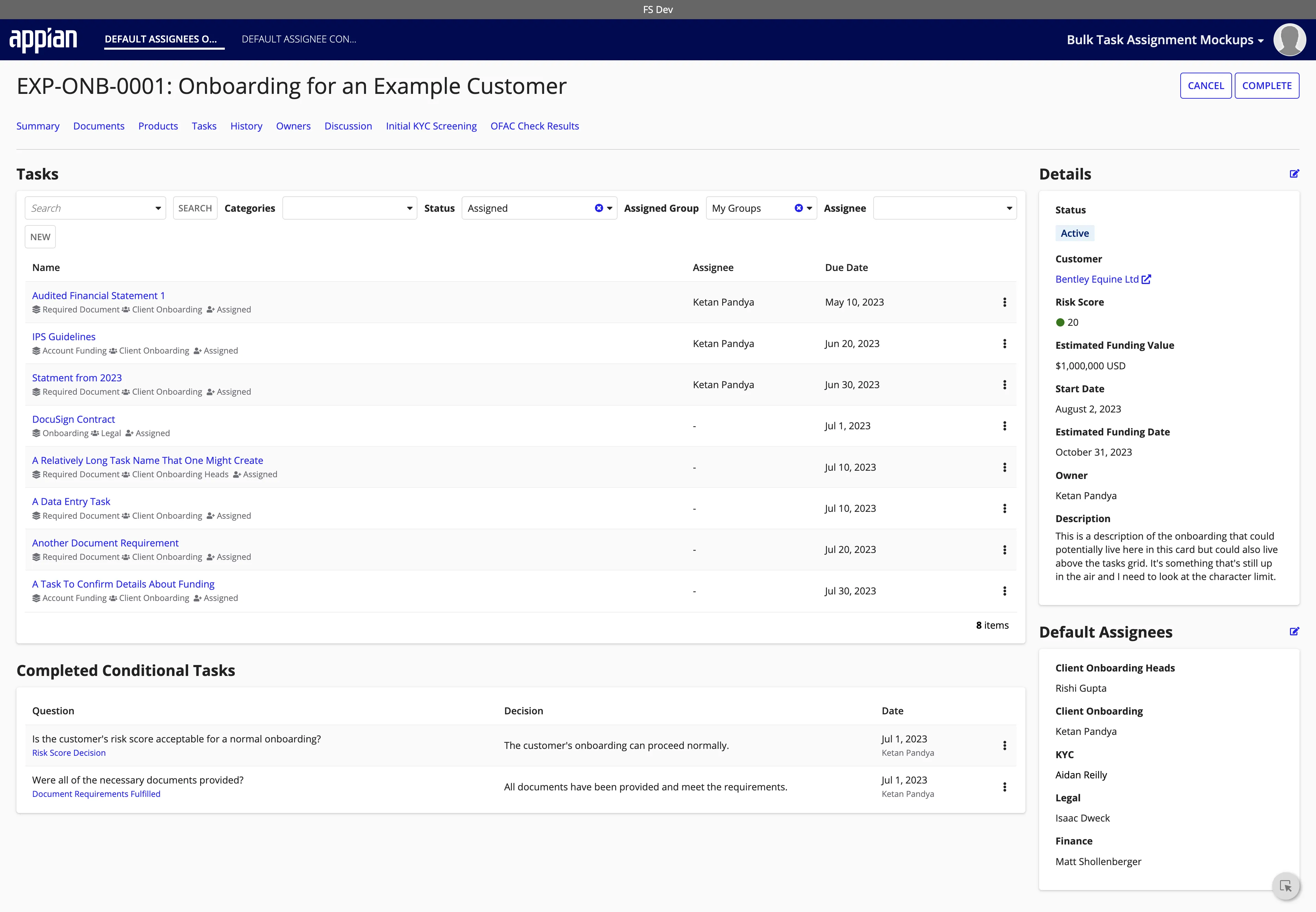
Financial institutions need a command center that balances high-level status with deep compliance tracking. The Onboarding Dashboard was designed to act as this single source of truth.
- Unified Risk & Funding: The dashboard aggregates critical indicators—overall risk status, funding status, and milestone progress—into a “at-a-glance” summary, allowing managers to instantly identify at-risk onboardings.
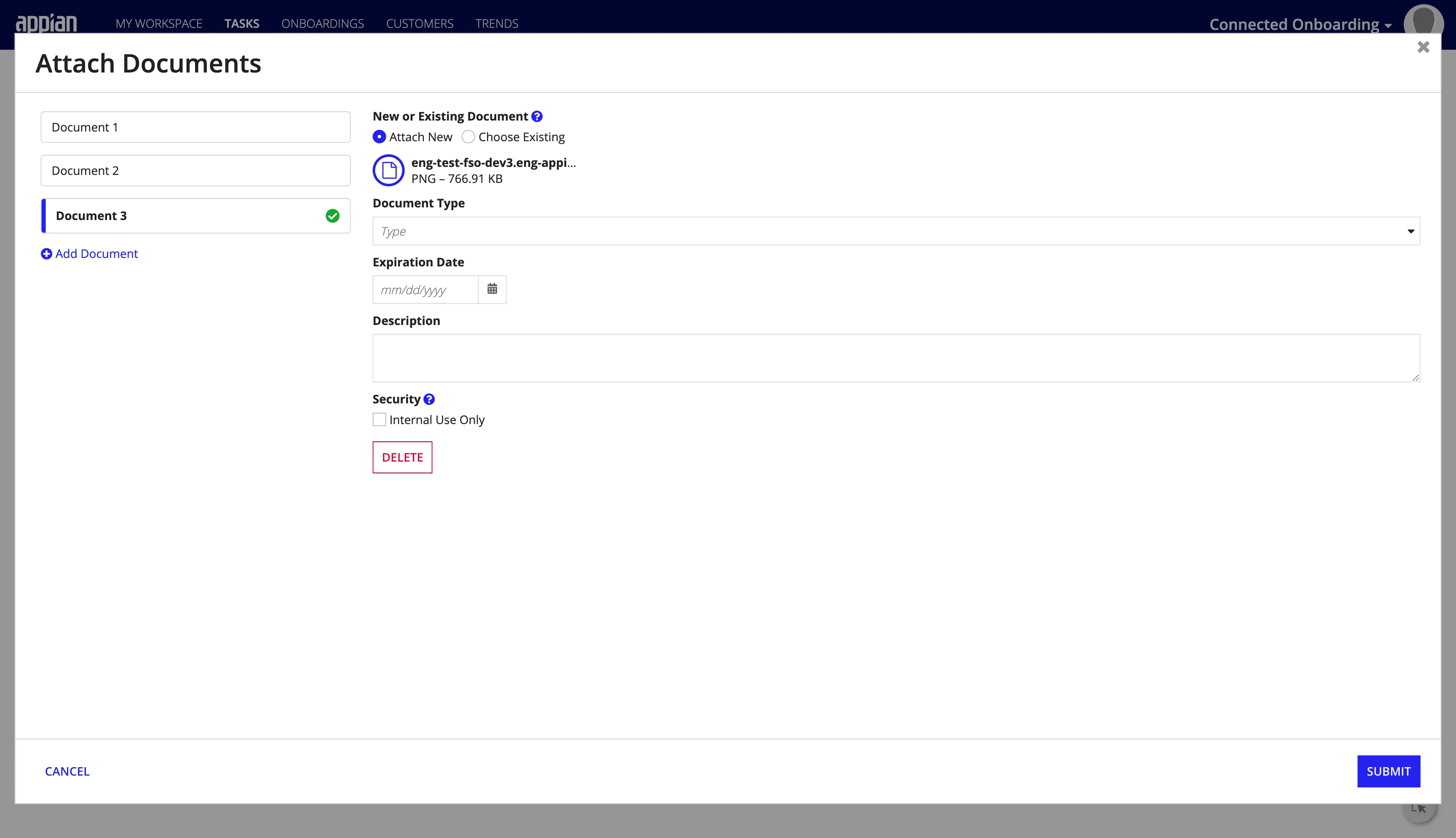
- Specialized Document Handling: Compliance relies on documentation. The system treats documents as first-class citizens, allowing users to upload, tag, and verify KYC/AML documents directly within the context of the onboarding, complete with version control and audit trails.
The Logic Engine
Redesigning Task Configuration
To handle the complexity of compliance workflows (KYC/AML), the configuration experience was redesigned to match the user’s mental model.
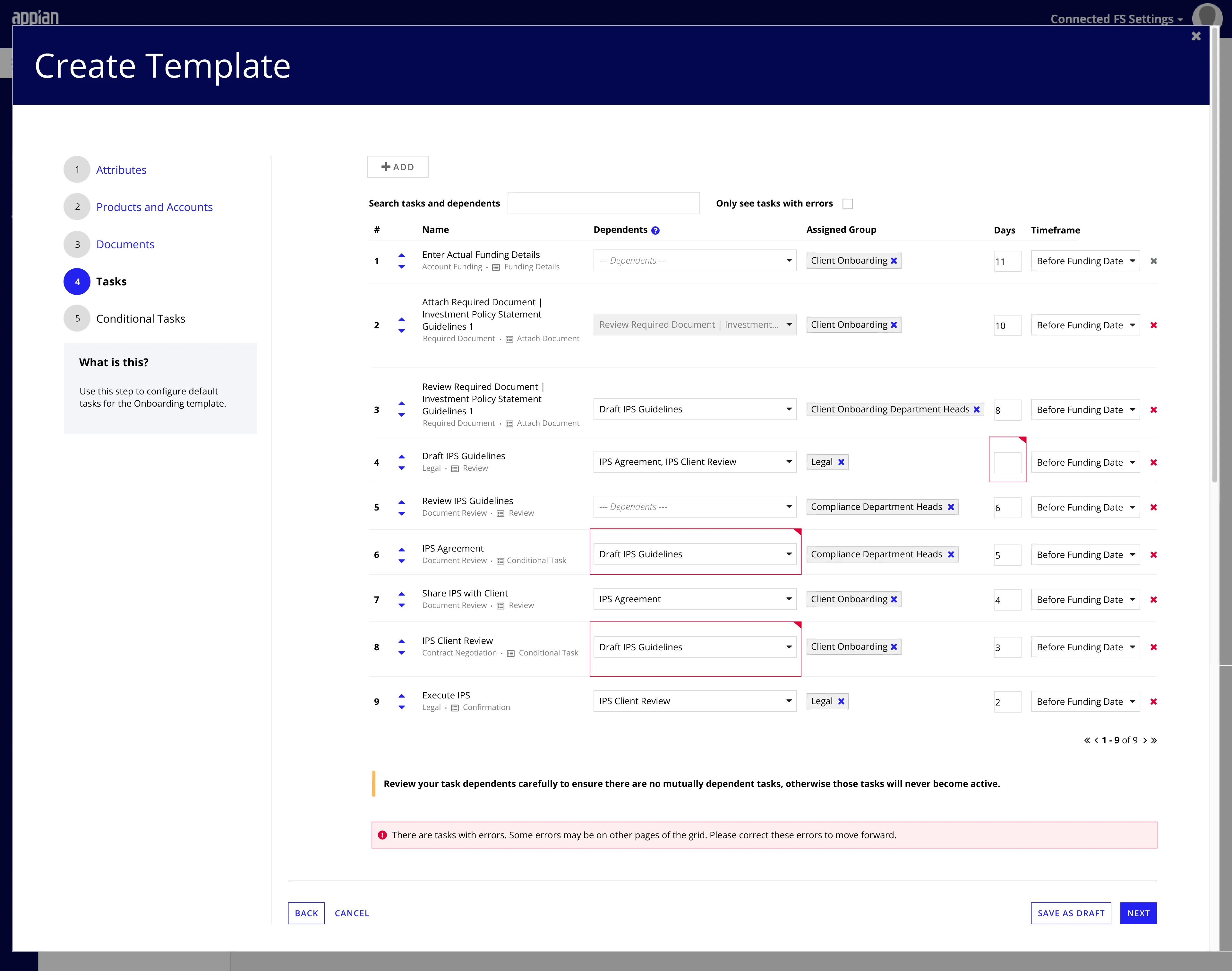
- From Precedents to Dependents: We flipped the interaction model. Instead of asking “What allows this task to start?”, the UI now asks “What happens after this task finishes?” We also completely overhauled validations, moving from generic error messages to precise, targeted feedback located directly on the affected field.
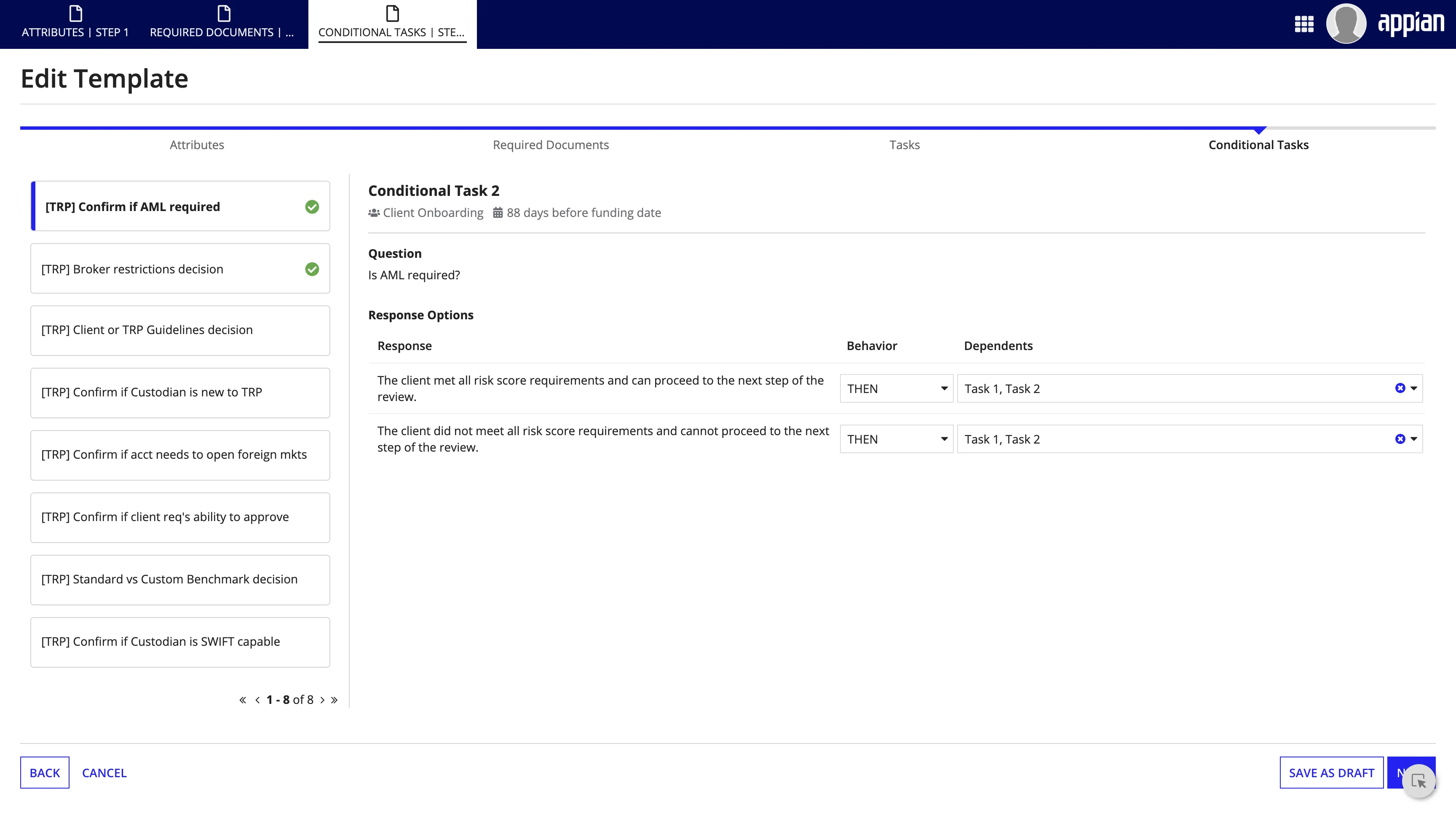
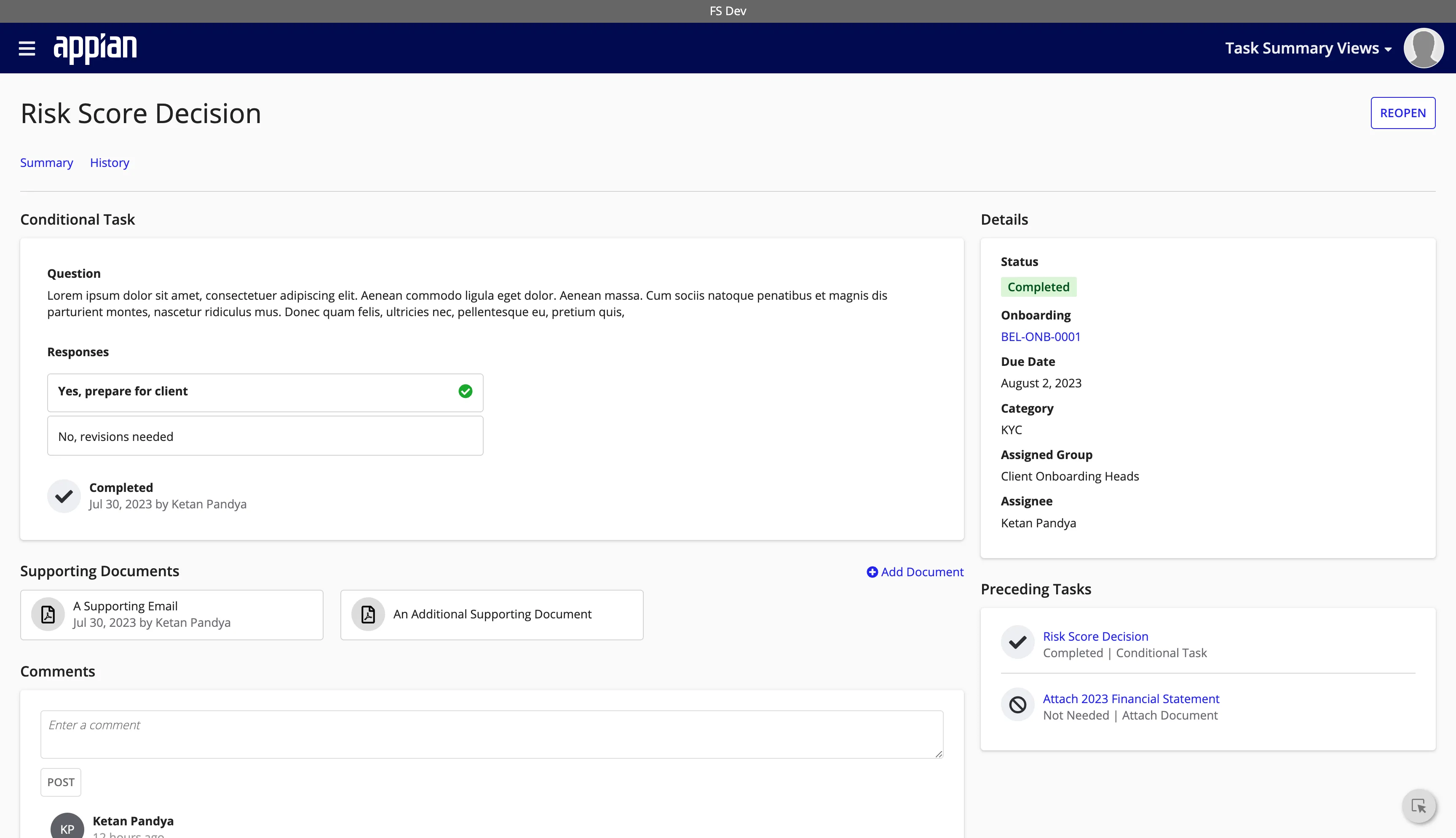
- Intuitive Branching: Complex logic like loops and conditional branches were previously hidden in deep menus. We surfaced these as primary actions, allowing users to easily configure “If/Then” scenarios (like loopbacks for missing documents) without needing to understand the underlying code structure.
The Customer Experience
Ensuring Data Quality
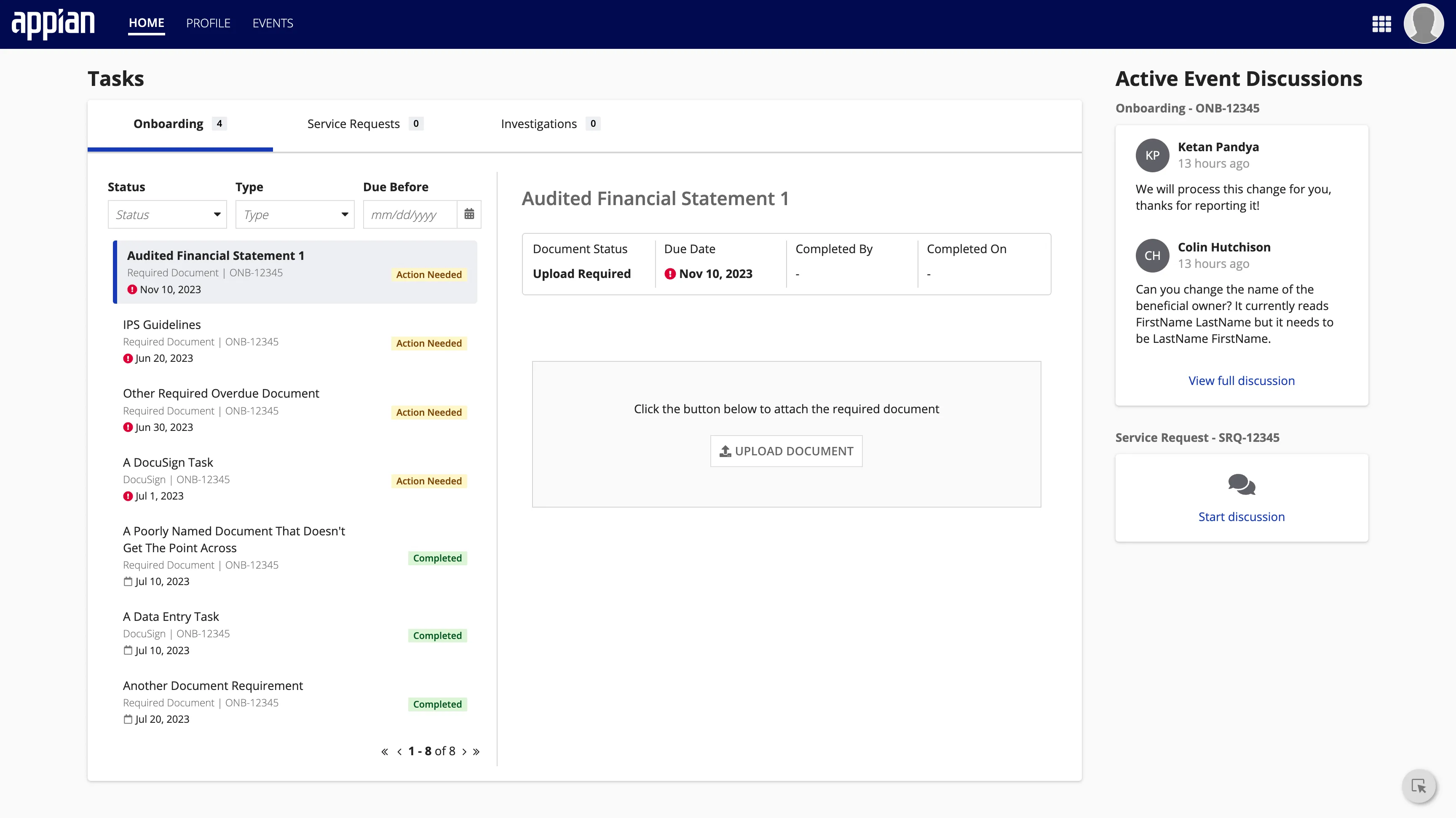
The onboarding process often stalls when waiting for customer input. To reduce friction, a dedicated Customer Portal was designed to give external users a clear, actionable view of their responsibilities.
- Transparency: Instead of relying on email chains, customers can log in to see exactly where they stand in the process. The dashboard highlights outstanding tasks and provides a clear timeline of next steps.
- Streamlined Action: Complex requirements are broken down into bite-sized tasks. Whether it’s uploading a proof of address or digitally signing a contract, users can complete actions directly within the secure portal without navigating confusing menus.